Filmic Blender is an OpenColorIO configuration based on ACES (Academy Color Encoding System
) color space which is currently the industry standard and great known for photorealistic render, I recently discovered that sRGB EOTF was never designed for rendering and CG.
Like always CGCookie has the great explanation on this subject, here is a video they published on YouTube, embedded below.
Now that we know what Filmic Blender is and what are the advantages of ACES. Its time to install it in Blender and use it for all of our renders from now.
Installing
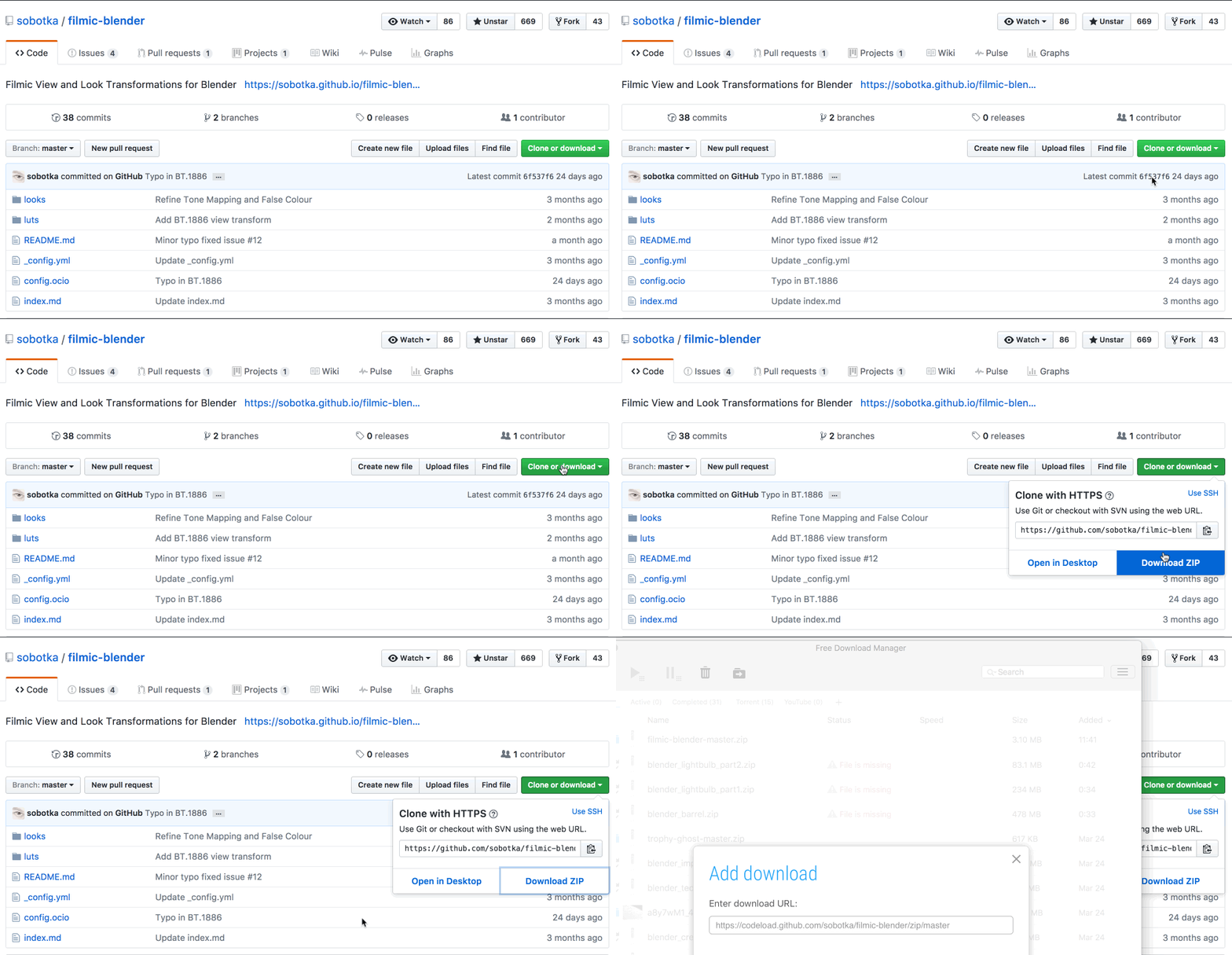
Downloading it from GitHub
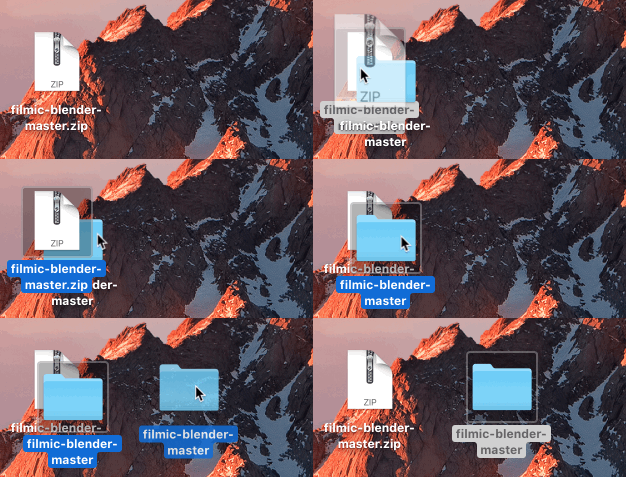
Unzip the archive that we just download.
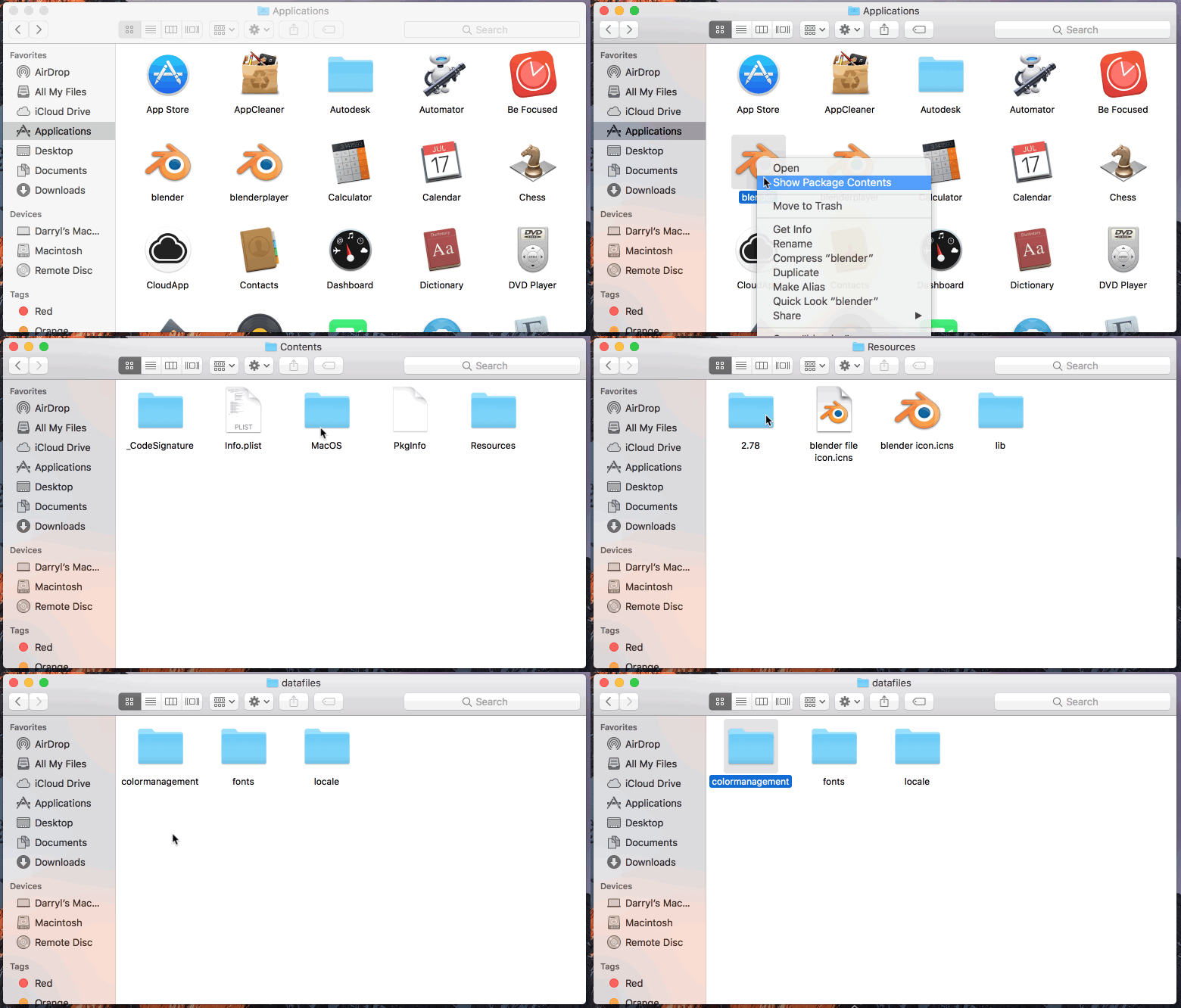
Its time to get into the filesystem of Blender app located in the Application folder and do the required changes to install Filmic.
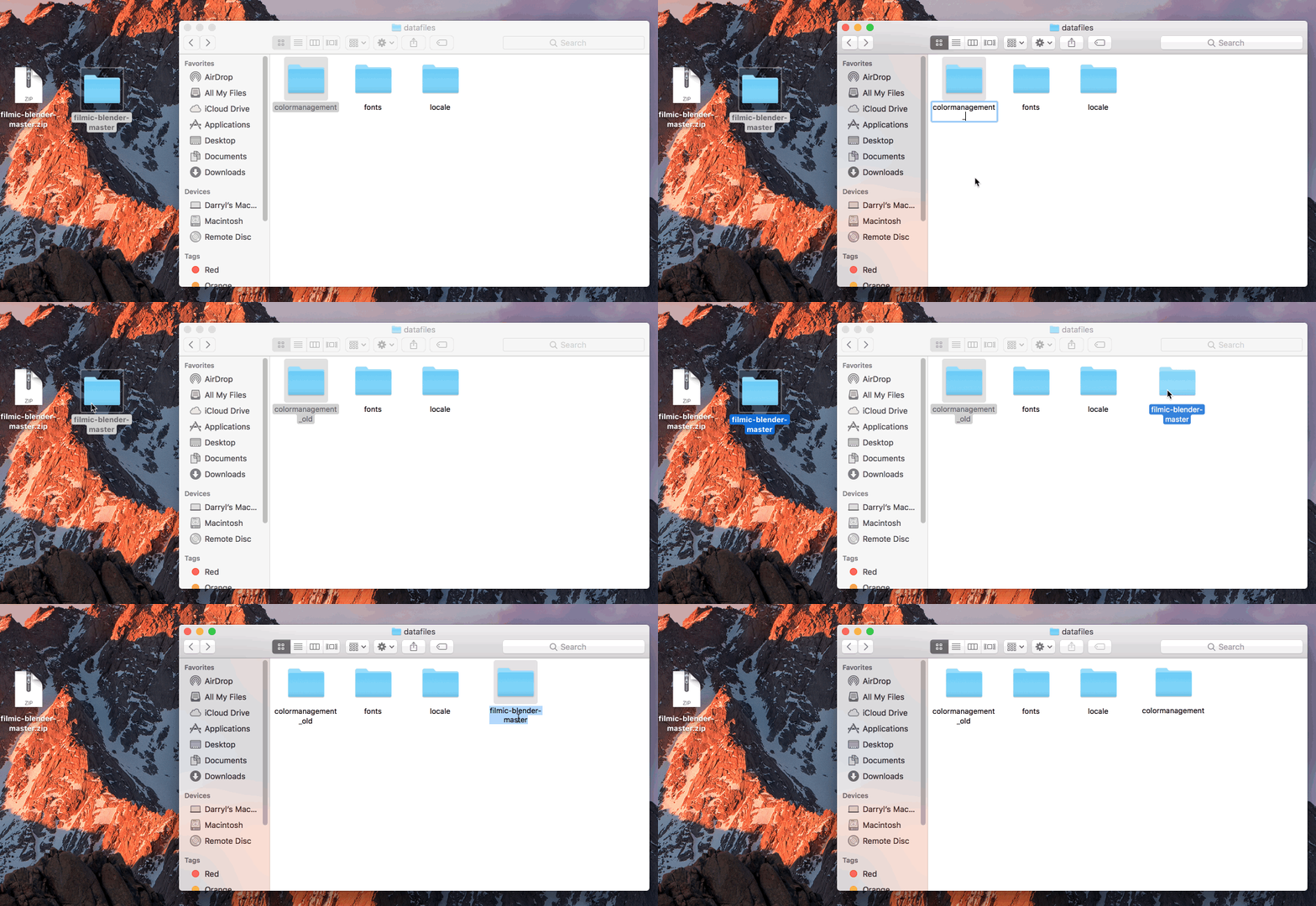
Renaming the “colormanagement” folder to “colormanagement_old” just to have a safe back up and now move the “filmic blender” folder and name it to “colormanagement”. This way the changes are applied on the next start.
You can find the settings to use “Filmic Blender” Scene tab in color management.
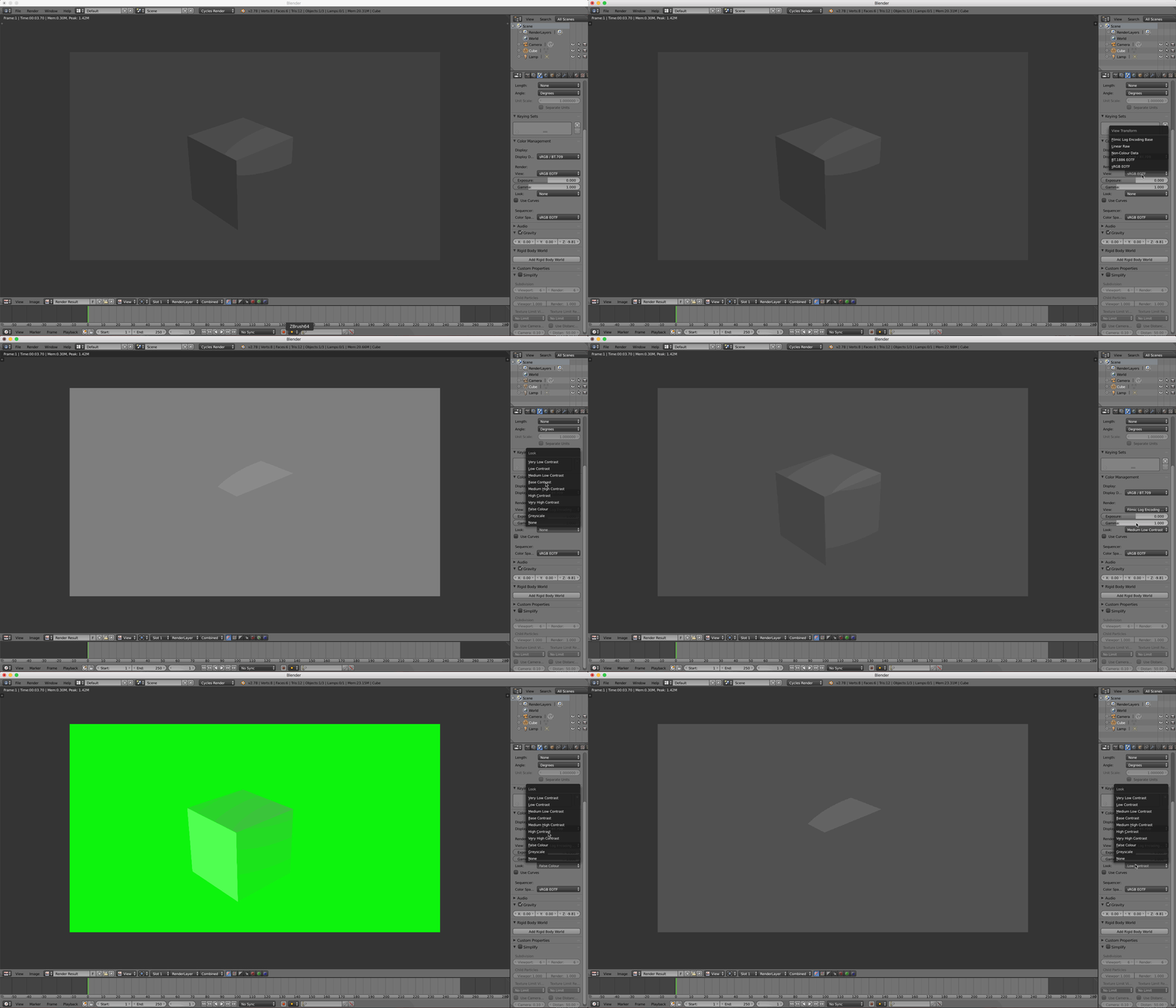
You can find Blender related content here, Constructive feedback related to content is always appreciated, feel free to leave a comment below.
The gifs used in the post are optimized for web, due to which the quality of render may from the actual product.
