I’ve been using DeepSeek Chat for a while now, probably longer than I’d like to admit. Over time, I’ve stumbled onto a few methods that completely changed how I interact with it.
When I first started, I’ll be honest, I treated it like a slightly smarter search engine that I could text like a person. I’d type in a quick question, get an okay-ish answer, and call it a day. But the more I used it, the more I realized I was leaving so much potential on the table. It wasn’t that the AI wasn't good enough. It was just that I wasn’t using it properly.
So, I figured I’d jot down the little tricks and mindset shifts I’ve picked up along the way. Think of this as me sharing my "lessons learned" so you don’t have to go through the same trial-and-error phase I did. Hopefully, these tips help you get those genuinely wow responses without the headaches.
To people new to DeepSeek.
DeepSeek is a large language model developed by the Hangzhou-based company of the same name. Both the web version and the mobile app are completely free, with a clean interface and great features.
This article walks you through practical tips for using chat.deepseek.com effectively, from basic operations to advanced techniques, so you can get the most out of every conversation.
Using DeepSeek as a Search Engine
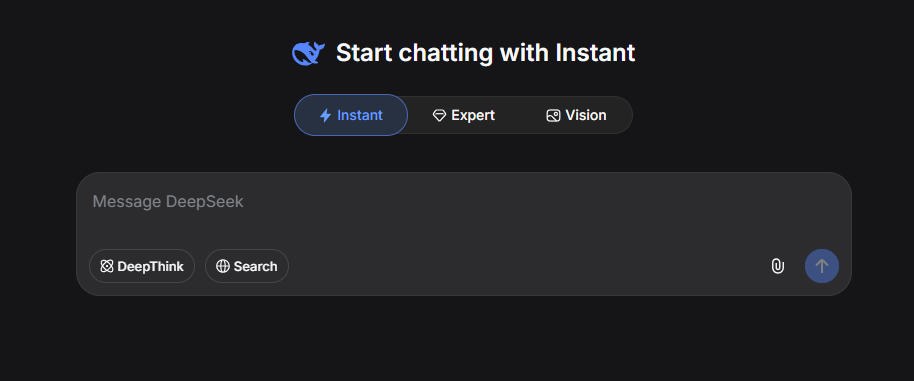
Yes, using DeepSeek as a search engine can be quite effective, but you need to enable the Search option located at the bottom of the chat input area, right next to DeepThink.
Why Do You Need to Enable the Search Option?
You need to enable this option to prevent the "Static Brain" problem. Because DeepSeek's internal knowledge is limited to the date the model was last trained, any recent event or new information is simply not in its data. You guessed it right. Its brain is a frozen snapshot of the internet up to that cutoff date. Turning on the web search feature creates a bridge, letting the AI actively retrieve and process live information to overcome that limitation.
For example, if you are looking up world events like the 2026 FIFA World Cup to see who won, the model might not be aware of the outcome and could give you information about a past tournament. At the time of writing this article, FIFA 2026 is an ongoing event. If the AI confidently stated a winner, it would be an error. This limitation applies to every public AI right now, not just DeepSeek.
According to my findings, the current underlying base model for DeepSeek Chat (DeepSeek V4) was last trained around May 28 to 30.
Below are examples of chat conversations with Search disabled and enabled:
Search disabled.
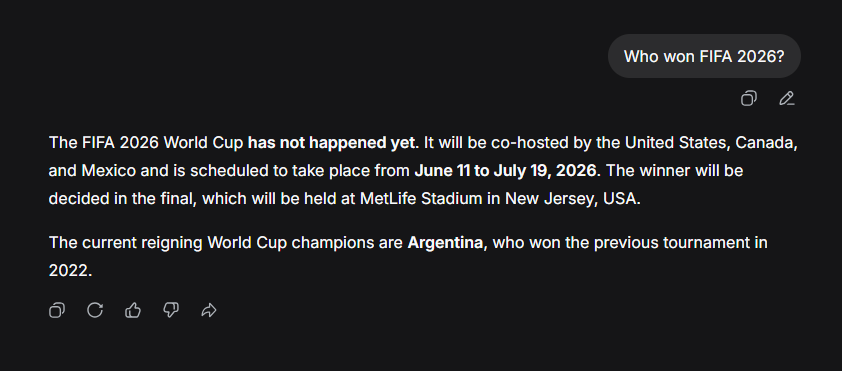
When search is disabled, DeepSeek relies solely on its pre-training data, which is its internal knowledge base with a fixed cutoff date. Because the 2026 FIFA World Cup takes place after this training cutoff, the model lacks real-time information about it. As a result, it provides a logical, textbook answer. It explains that from its perspective, the tournament has not occurred yet, lists the planned dates and hosts, and mentions Argentina as the reigning champion from 2022.
Search enabled.
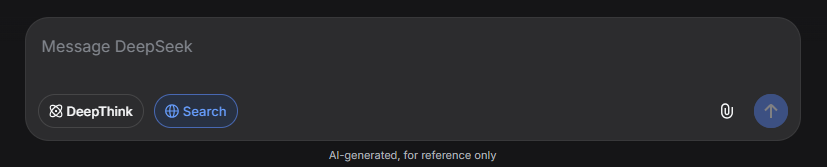
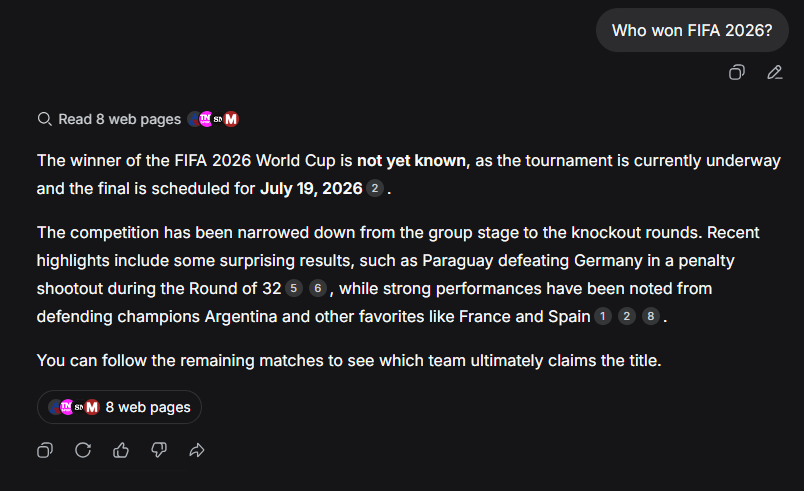
When you enabled search, DeepSeek actively queried the internet for the latest information. Because the current date, June 30, 2026, falls right in the middle of the actual tournament dates of June 11 to July 19, the search engine returned live news articles, sports updates, and match results. The model then processed this new information to tell you that the tournament is currently underway, provided specific updates like Paraguay beating Germany, and mentioned which teams are performing well so far.
That's it, folks! Stay tuned for more AI-related content.
